How to Open the VPS VNC Console and Manage the Server from a Browser
How to Connect to a VPS via the VNC Console
What Is a VNC Console
A VNC console provides access to the VPS screen through a browser from the client area.
It is useful when the standard server connection does not work or when you need to perform actions before the operating system starts.
The VNC console may be needed when:
- SSH is not working;
- the server does not respond over the network;
- the VPS freezes during boot;
- you need to open the boot menu or recovery mode;
- you need to check system startup errors.
In practice, VNC works like a monitor and keyboard connected directly to the server.
How to Open the VNC Console
To open the VPS VNC console:
1. Log in to the client area.
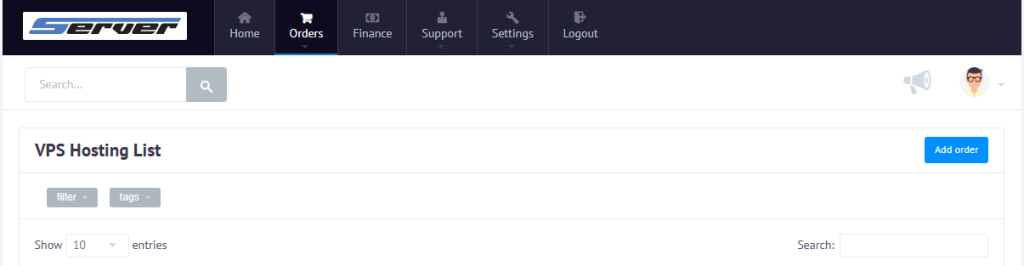
2. Go to the Orders section.
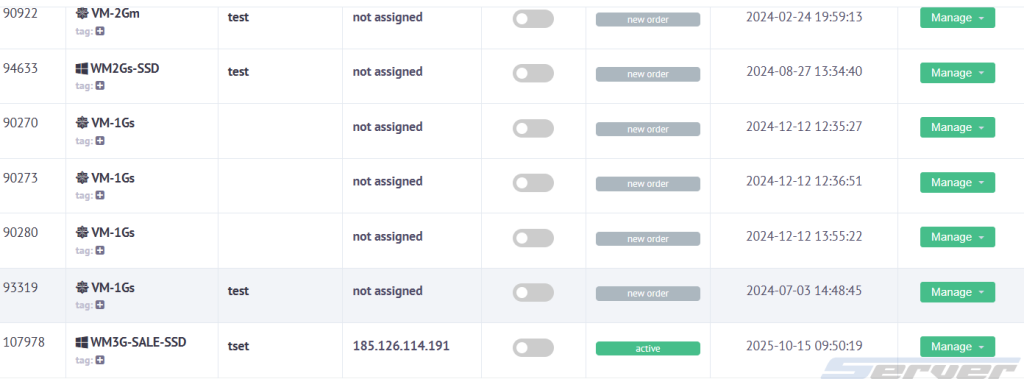
3. Select the required VPS.
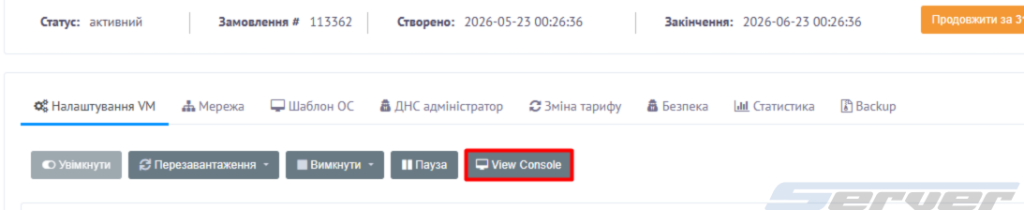
4. Open the order page.
5. Click View console.
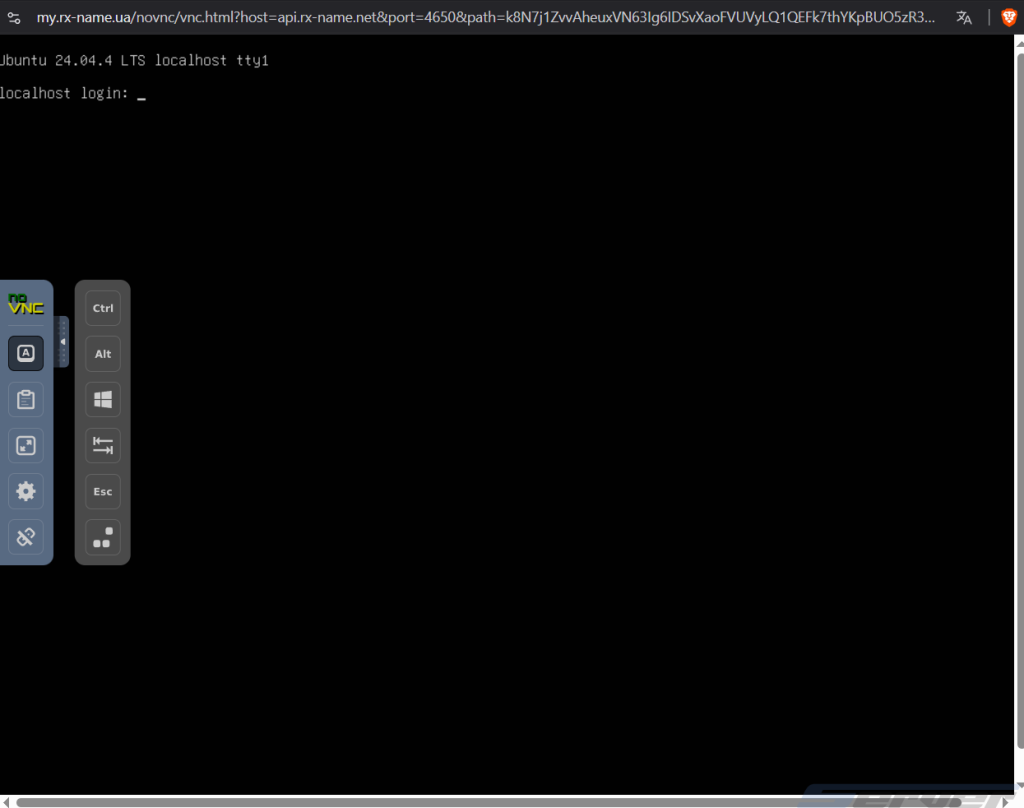
After that, the server VNC console will open.
How the VNC Console Differs from SSH
SSH is used to connect to the server through a terminal. It works over the network and is suitable for regular Linux server administration.
SSH is usually used to run commands, configure services, work with files, and update the system.
The VNC console works through the hypervisor and does not depend on SSH inside the VPS. That is why it is used when the server is unavailable over the network or has boot problems.
With VNC, you can work with the boot loader, recovery mode, login screen, and system messages during startup.
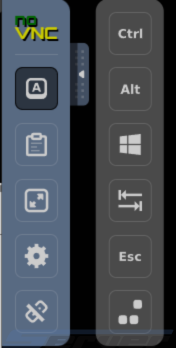
Additional VNC Console Menu
The VNC console includes an additional menu with buttons for working with the server.
It may include actions such as:
- Ctrl + Alt + Delete;
- sending special keys;
- fullscreen mode;
- copy and paste;
- refreshing or restarting the console session.
These buttons are needed because the browser may intercept some key combinations and not send them directly to the VPS.
When to Use the VNC Console
The VNC console should be used when you need to:
- check Linux boot errors;
- fix incorrect network settings;
- change the root password;
- enter recovery mode;
- check why the VPS does not respond via SSH;
- work with the boot menu.
For regular server management, it is better to use SSH. The VNC console is mainly intended for emergency access and diagnostics.
If the VNC Console Does Not Open
If the console does not open:
- Check whether the browser is blocking popup windows.
- Make sure the VPS is running.
- Check the stability of your internet connection.
- Try opening the console in another browser.
- Disable browser extensions that may block new windows or scripts.
After that, try opening View console again.
Summary
The VNC console allows you to access a VPS through a browser, even if SSH is unavailable or the server has boot problems.
It is used for emergency access, error checking, working with the boot menu, recovery mode, and restoring access to the server.