Accessing a Physical Server via KVM Console
How to Connect to a Dedicated Server Using KVM
What KVM Is
KVM (Keyboard, Video, Mouse) is a remote management tool that provides direct access to a server at the hardware level. Using a KVM console, you can work with the BIOS or the operating system even when the server is not reachable over the network.
This type of access is used for:
- full remote control of the server;
- diagnosing and resolving issues during system boot;
- performing operations that require direct interaction with the hardware.
How to Obtain Access
1. Log in to your account on the website.
2. Go to the Support section.
3. Create a support ticket requesting KVM access for the required dedicated server.
4. After the request is processed, the administration will provide you with:
- a download link for the WinClient application;
- login credentials for the connection.
5. Download WinClient, launch the application, and enter the provided login and password.
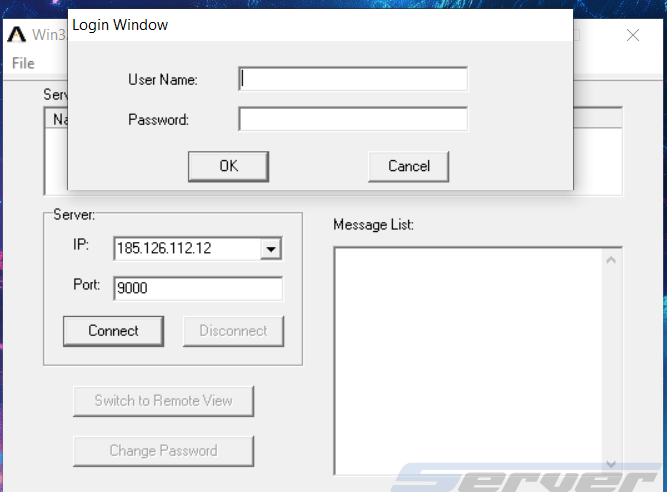
6. Once connected, a virtual server console will open, allowing you to work with the BIOS or operating system as if you were physically present at the server.