Configuring Account Security in the Control Panel
How to enable additional account security settings
1. General information
To reduce the risk of unauthorized access to your account, it is recommended to enable additional security tools.
The main security settings include:
- enabling two-factor authentication (2FA);
- restricting account access by IP address;
- using a strong password and changing it regularly.
All security settings are available in the section:
Settings → Security

2. Enabling two-factor authentication (2FA)
In the Security section there is a switch called Authenticator.
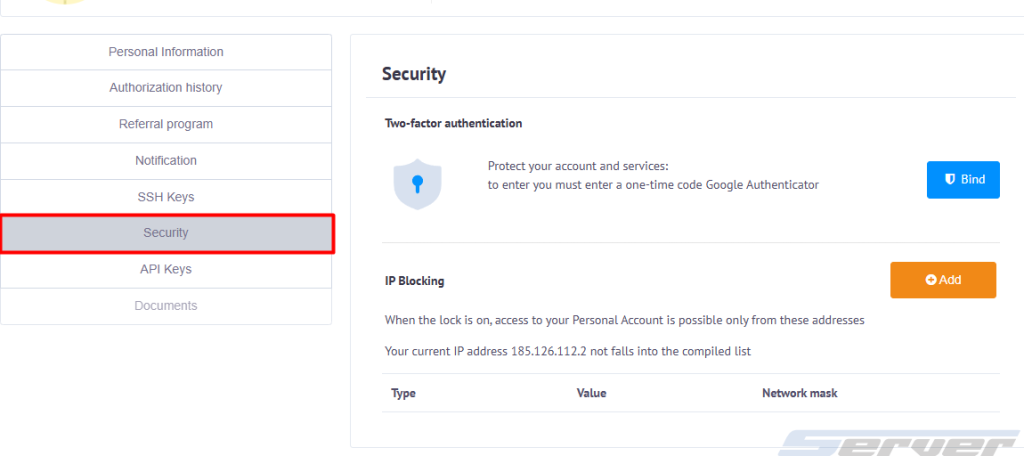
After enabling it, the two-factor authentication setup page will open. On this page you will see:
- a QR code for connecting an authenticator application;
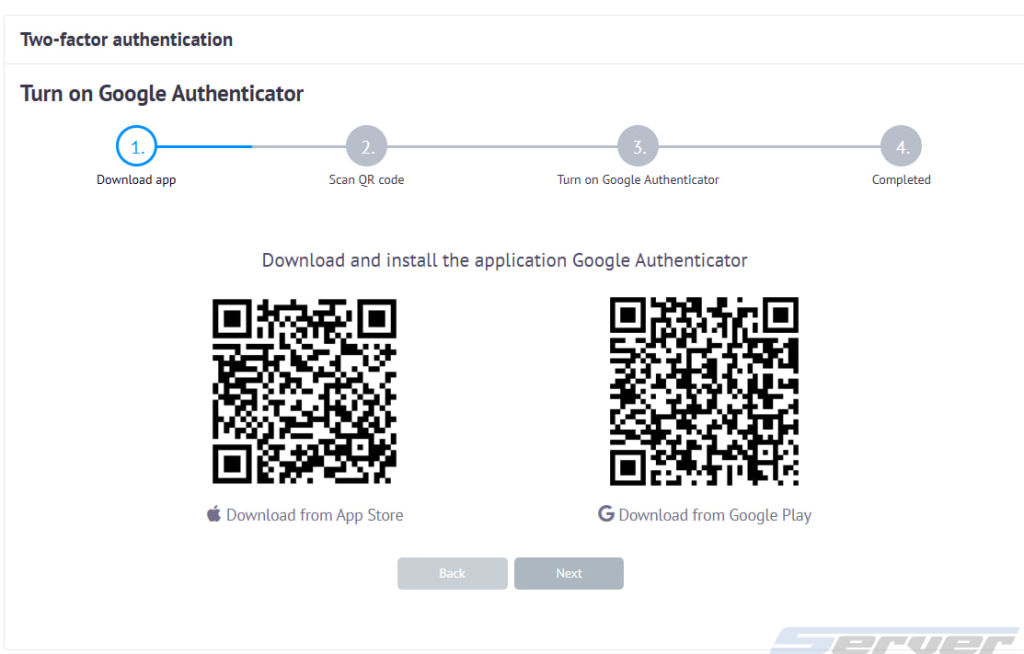
- a list of recommended apps (for example Google Authenticator, Microsoft Authenticator, and others).
To complete the setup, follow these steps:
- Install any authenticator application on your mobile device.
- Scan the QR code to link your account.
- Enter the 6-digit code from the app to confirm activation.
After enabling 2FA, each login to the control panel will require an additional one-time code from the authenticator application.
3. Restricting access by IP address
In the Settings → Security section you can also configure access to the account only from specific IP addresses.
To configure this option:
1. Click the Add button.
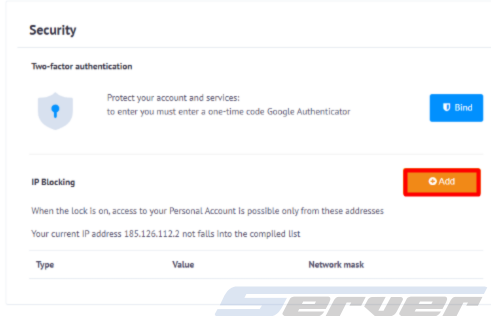
2. Specify the IP address or subnet allowed for login.
3. Save the changes.
After this feature is activated, access to the account will be allowed only from the specified IP addresses.
⚠ Important: if your internet provider uses dynamic IP addresses (DHCP), the IP address may change automatically. In this case, access to the account may be temporarily blocked.
4. Password security recommendations
To improve account protection, it is recommended to follow several rules when creating a password:
- use a password with a length of at least 12 characters;
- combine uppercase and lowercase letters, numbers, and special characters;
- avoid using the same password across multiple services;
- change your password periodically.
You can use a password generator to create a strong password: