How to correctly fill in the user profile in the account
Filling in personal data in the user profile
Where to find the profile
- Log in to your account on the website.
- In the main menu, open the Settings section.
- After navigating, the Profile section opens automatically.

What data is available initially
After opening the profile, only basic fields are displayed by default:
- full name or company name
- country or region
- contact phone number
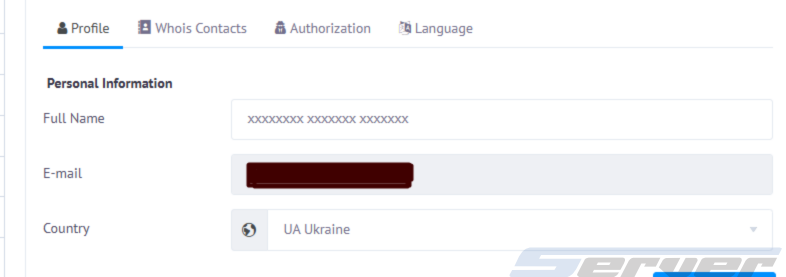
How to open additional fields
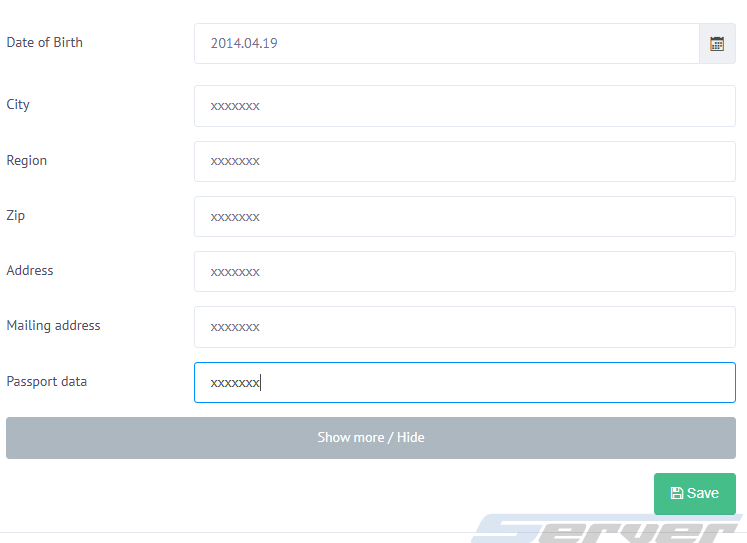
To complete full information, click the Show more button.
After that, the following fields will become available:
- city of residence
- postal address
- ZIP / postal code
- additional contact information
These details are also recommended to be filled in for proper service operation.
Important requirements for filling in
When entering information, it is necessary to:
- use Latin or Cyrillic characters
- avoid special symbols
- provide only real and up-to-date data
❌ Entering incorrect or fake information may lead to:
temporary or full account suspension
refusal of domain name registration
Additional data (optional)
- phone number verification
- passport details
- date of birth
Why profile completion is required
A completed profile is a mandatory condition for activating the first service.
All subsequent services are activated automatically after successful payment.