Setting Up VPS Backups with the VPS Backup Service
Managing VPS Backups via VPS Backup
What is VPS Backup
VPS Backup is a convenient tool that helps protect the data on your virtual server. It allows you to create system copies so you can restore your VPS at any time in case of a failure or error. Key features include:
- Manual backup — create a backup manually whenever you need it.
- Automatic backups — the system saves copies once a week on a day you choose.
- Scheduled backup date — set a specific date for planned tasks.
- Restore — quickly roll back your VPS to the state saved in a backup.
How to Activate and Configure VPS Backup
1. Log in to your Client Area.
2. In the menu, go to Orders → VPS Hosting.
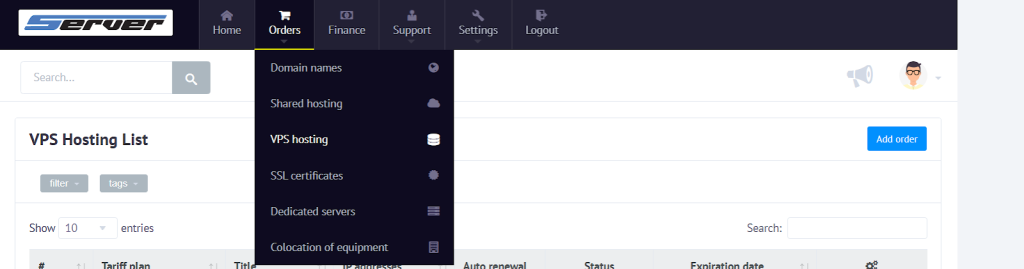
3. From the list of orders, select the VPS you want.
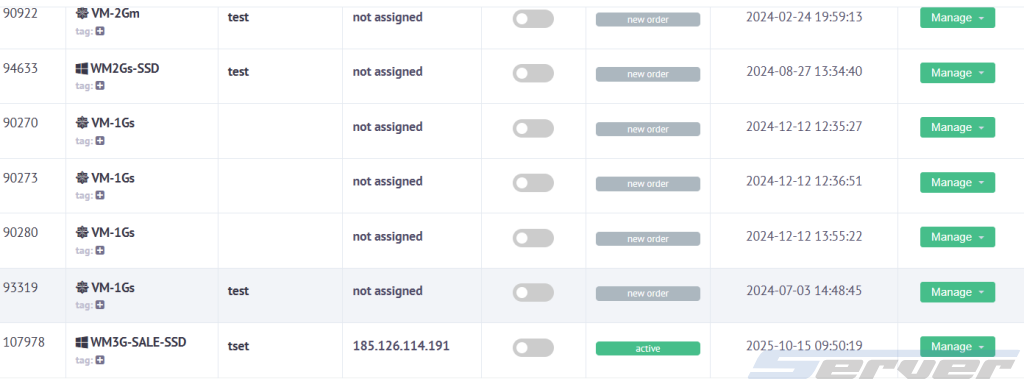
4. In the server menu, find the Backup tab.

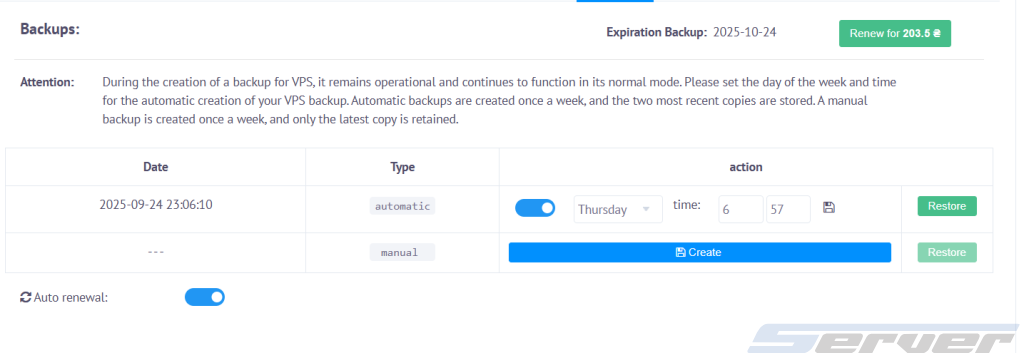
5. You have two options for working with backups:
- Manual backup — click the button to create a copy immediately.
- Automatic backups — choose the day of the week for automatic backups. The system will keep the last two backups automatically.
How to Restore a Server from a Backup
1. In the Backup tab, open the list of available backups.
2. Select the required file by date.
3. Click Restore to start the recovery process.

4. Confirm the action — the VPS will be restored from the selected backup.
Useful Tips
- Always create a manual backup before updating the system or installing new software.
- Use automatic backups as a basic safeguard against unexpected issues.
- After restoring, check the functionality of the server and all critical services.