SSL Certificate Renewal and Reissue Rules
How to Reissue an SSL Certificate and When It Is Required
SSL certificate reissue (Reissue) is the process of generating a certificate again within the already paid validity period without additional costs. This procedure allows you to obtain a new certificate with updated parameters without making a new payment.
When an SSL Certificate Needs to Be Reissued
The certificate is purchased for multiple years
According to modern browser requirements, the maximum validity period of a single SSL certificate is limited to one year. If a certificate was ordered for 2 or 3 years, it automatically requires annual reissue. Without completing this procedure, the certificate will expire after the end of the current year.
Server or private key change
When moving a website to another server or generating a new private key, it is necessary to reissue the certificate using a new CSR request. In this case, the old certificate will not be able to work correctly with the new keys.
Private key compromise
If there is a possibility that the private key has become accessible to third parties, the certificate should be reissued immediately. This is a critical security measure that helps prevent data substitution and loss of trust in the website.
Errors in certificate data
Reissue is also required if errors are found in the certificate parameters: an incorrect domain name, an incorrect www or non-www version, as well as errors in company details for OV or EV certificates.
How to Reissue an SSL Certificate in the Control Panel
Step 1. Go to the SSL section
Log in to the account control panel. Go to Orders → SSL Certificates and select the certificate that needs to be reissued.
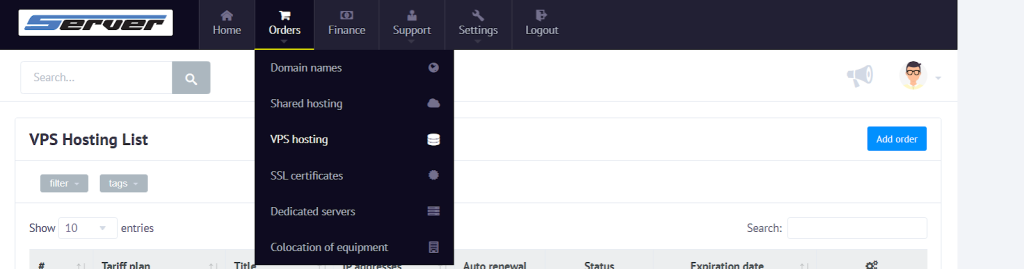
Step 2. Start the reissue process
Open certificate management by clicking Manage, then select the Reissue option.

Step 3. Check or replace the CSR
In the reissue form, the previous CSR request will be filled in automatically.
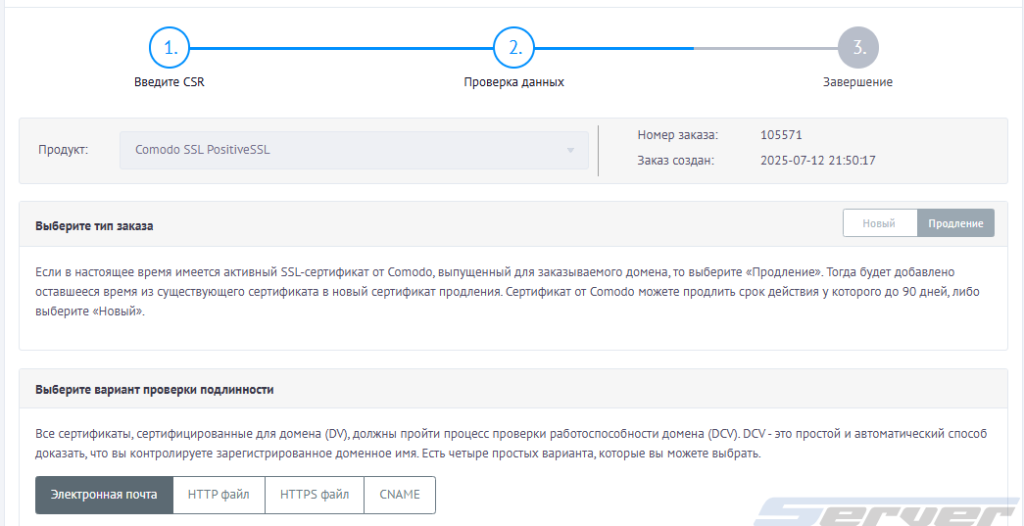
If necessary, you can replace it with a new one by inserting the current CSR into the appropriate field and then proceed to the next step.
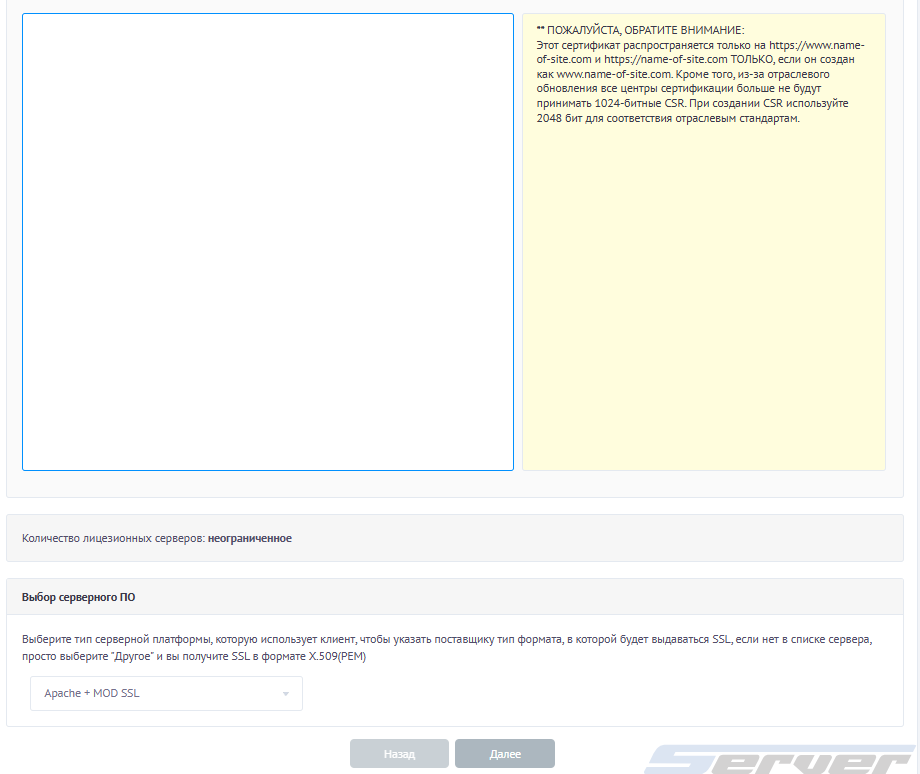
Step 4. Re-verification
After starting the reissue, the verification process is performed again. For DV certificates, domain ownership is confirmed, and for OV and EV certificates, company verification is carried out.
Step 5. Install the new certificate
After successful verification, you need to download the new SSL certificate, install it on the server, and make sure that the active certificate is used together with the correct certificate chain.